Stop Building
UglyDirectories.Please.
A strictly minimal, typography-driven Next.js 16 starter kit for curators who refuse to compromise on aesthetics. Clone to production in a weekend.
Powered By Next-Level Tech
Design is your only moat.
If you're building a curated list or a niche directory, people judge the quality of your data by the quality of your design.
Generic templates signal generic content. Swiss Directory signals authority through precision, contrast, and intentional white space. It doesn't look like a template — it looks like a brand.
Most directory starters ship with rounded corners, blue buttons, and zero personality. They're clones of clones. Swiss Directory implements International Typographic Style — strict grids, precise typography, and high-contrast neobrutalist accents — so your directory looks like a $20K agency build, not a side project.
- Strict Grids — every element has a structural reason to be where it is
- Neobrutalism — bold visual identity without visual noise
- Mobile First — responsive from the ground up, not bolted on
- Micro-interactions — polish that signals quality to your users
- Dark Mode — designed in, not patched on. Full component library support.
Production-Ready Architecture
Don't just launch a directory. Launch a scalable platform.
Searchable Tools Directory
Categories, pricing tiers, ratings, and built-in affiliate link support. Default-configured for AI tools, fully customizable for any niche. Filter by category, sort by rating, search by name.
Curated Stacks
Pre-built tool collections organized by business model: SaaS founder, agency, consultant, freelancer. Each stack is a ready-made recommendation engine for your audience.
SEO-Optimized Blog Engine
Editorial workflow with FAQ schema support and AEO-ready structure. Publish directly from Notion. Rich text, images, code blocks — all managed where you already work.
Notion as Your CMS
Manage all tools, stacks, and blog posts directly in Notion. No clunky external dashboards. Rich text support. Syncs in seconds. Publish instantly.
Authentication
Better-Auth with GitHub + Google OAuth user sessions and protected routes configured on day one. No auth boilerplate. No third-party headaches.
Swiss Design System
50+ Components + Custom Tailwind Config. A complete component library implementing International Typographic Style. CSS variables for easy theming. Dark mode designed in from the ground up.
Bleeding-Edge Stack.
Zero Tech Debt.
| Layer | Technology | Why It Matters |
|---|---|---|
| Framework | Next.js 16 + React 19 | Server Actions, SSG — blazing fast with the latest APIs |
| Styling | Tailwind CSS v4 | CSS-first config, custom Swiss Design system via CSS variables |
| Auth | Better-Auth | GitHub + Google OAuth, session management out of the box |
| CMS | Notion API | Manage tools, stacks, and blog posts directly in Notion |
| Database | Neon (Postgres) | Serverless Postgres for user data and relational queries |
| Deploy | Vercel | Push to GitHub → auto-deploy and you're live |
Fully Automate your curation.
Because Swiss Directory uses Notion as a headless CMS, you have out-of-the-box compatibility with the world's most powerful AI workflows.
Data Fetch
Set up a webhook or use Make / Zapier to scrape incoming tools, submissions, or news articles automatically.
AI Processing
Pass the raw data to an LLM like Claude or ChatGPT. Instruct it to generate SEO-ready descriptions, pick categories, and score tools.
Auto-Publish
Push the AI's structured data directly to your Notion CMS database via their API. Your Next.js 16 site instantly Syncs.
Built for builders who care about craft.
🚀 Solopreneurs & Indie Builders
You want to launch a directory-based business without spending months on boilerplate. Clone, customize, deploy. Weekend project, not a quarter-long slog.
📋 Content Creators & Curators
You already manage your workflow in Notion. Swiss Directory syncs directly from your workspace. Update a Notion page, your site updates. No admin dashboards. No deploy steps.
💻 Developers
You appreciate a clean, modern codebase with zero inherited tech debt. Next.js 16, React 19, Tailwind v4, typed throughout. No legacy patterns. No "we'll migrate later" compromises.
Why Swiss Design Converts.
Design isn't just subjective aesthetics. A structured, high-contrast foundation directly correlates to lower bounce rates and higher user trust. Here is the data from our own tests against standard directory templates.
Click-Through Rate
High contrast buttons without border-radius create distinct interaction zones, drastically improving conversion on affiliate tool links.
Bounce Rate
Strict grid layouts and intentional negative space reduce visual fatigue, keeping visitors engaged with your directory content longer.
Session Duration
Crisp, highly-readable typography at ideal line-lengths makes reading long-form tool descriptions effortless and frictionless.
What builders are saying
"I've tried a dozen starter kits, but this is the first one where I don't feel the need to completely rip out the default CSS. The typography is perfect out of the box."
"Notion as CMS is such a smart move. I was dreading building an admin panel for my marketing library. Had my site up and ranking in 48 hours."
"Bought this over the weekend, had my AI tools directory live by Sunday night. The components are so clean that adding new features doesn't break the layout. Best $69 I've spent on a starter kit."
See it in action.
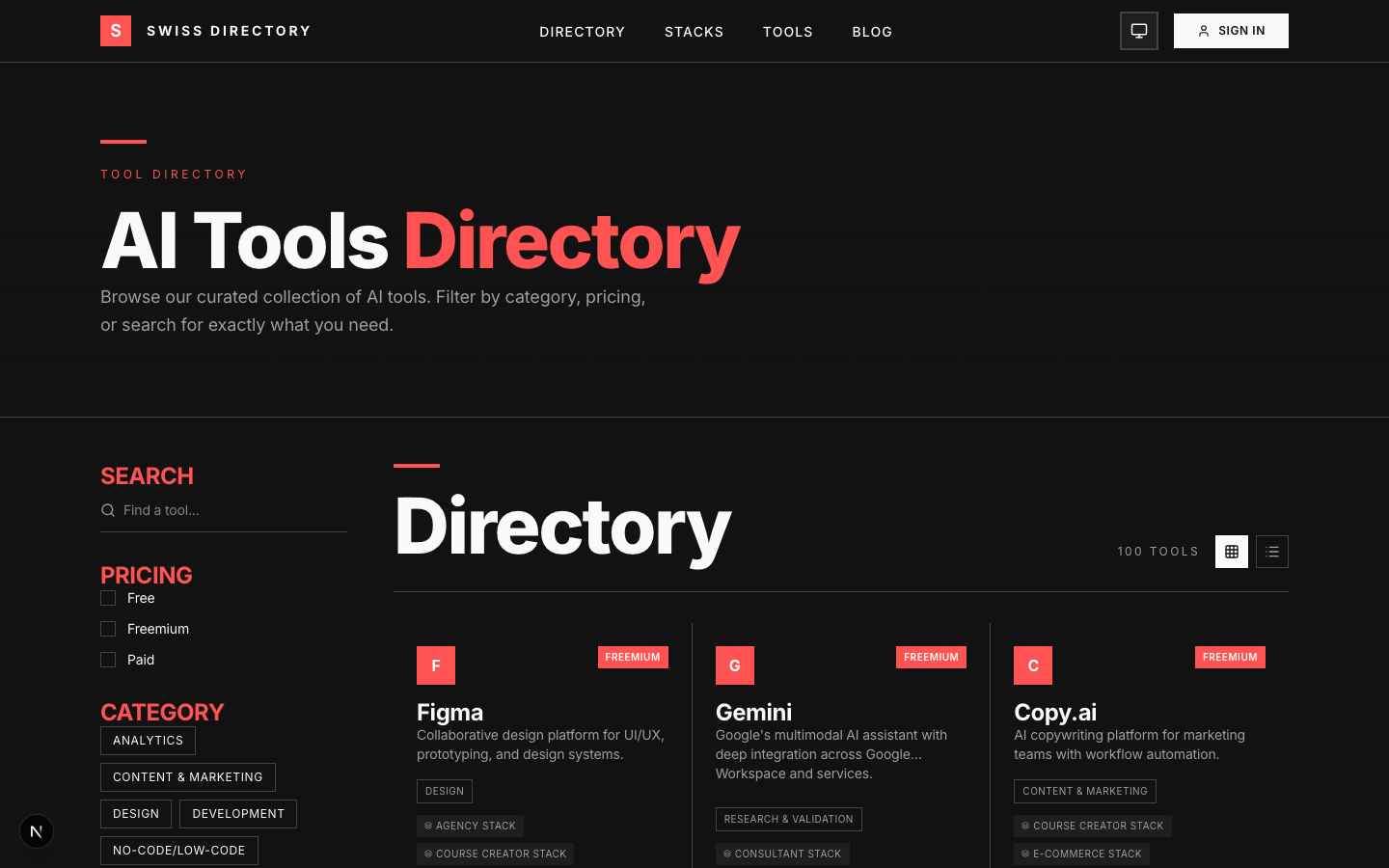
Tools Directory page
Filterable grid with categories and ratings
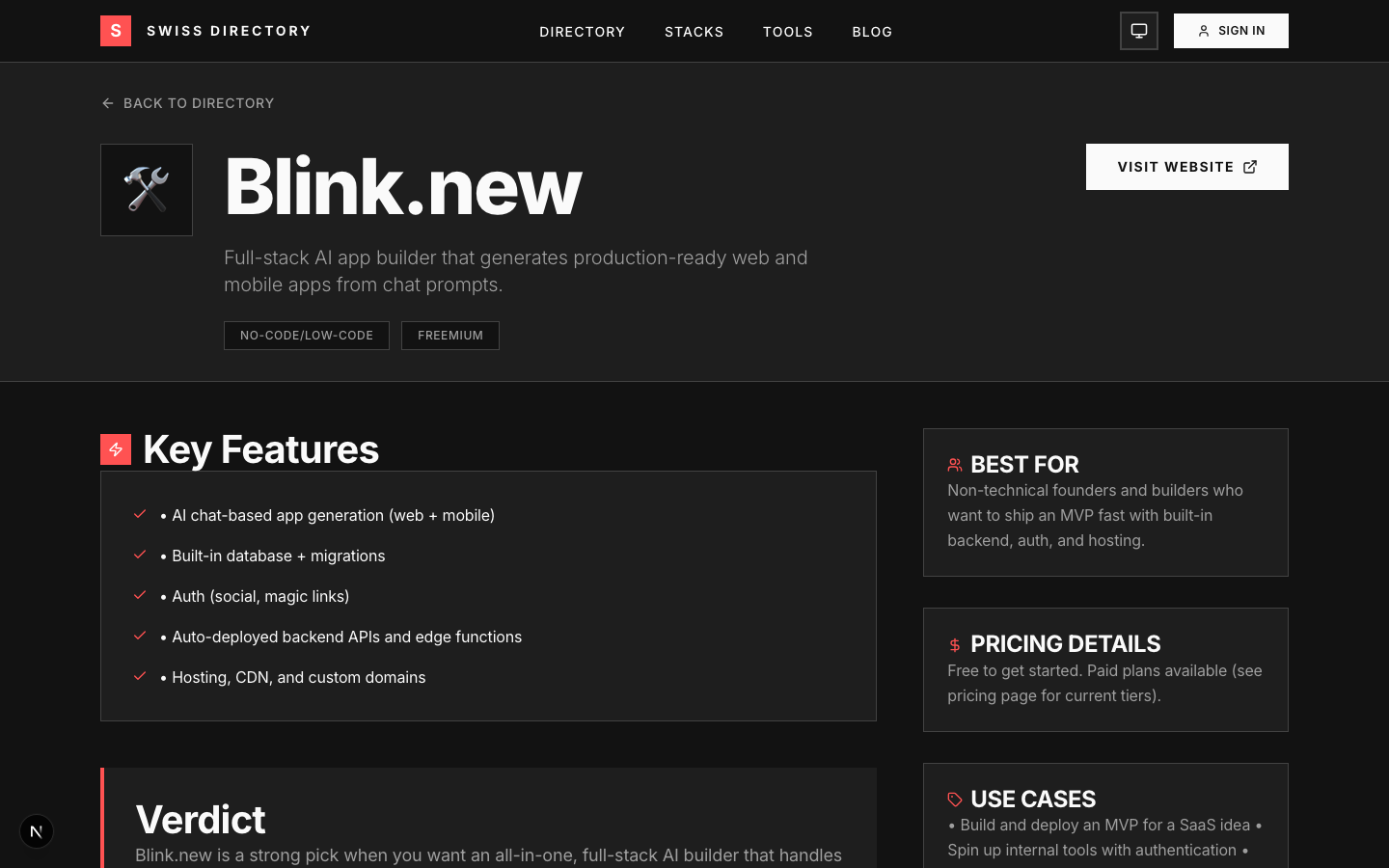
Individual tool detail page
Clean layout with affiliate CTA
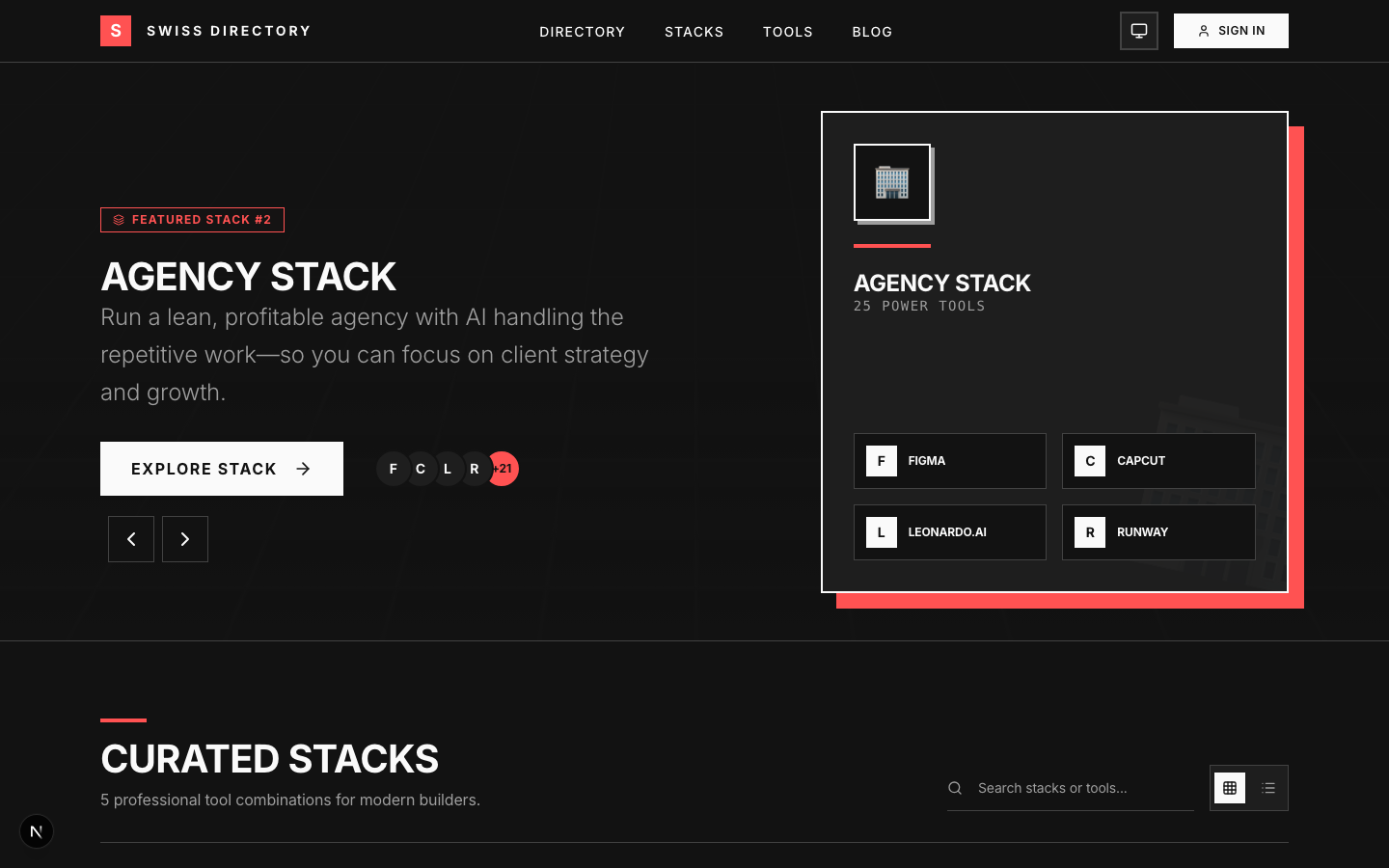
Curated Stack page
Tool collection with descriptions
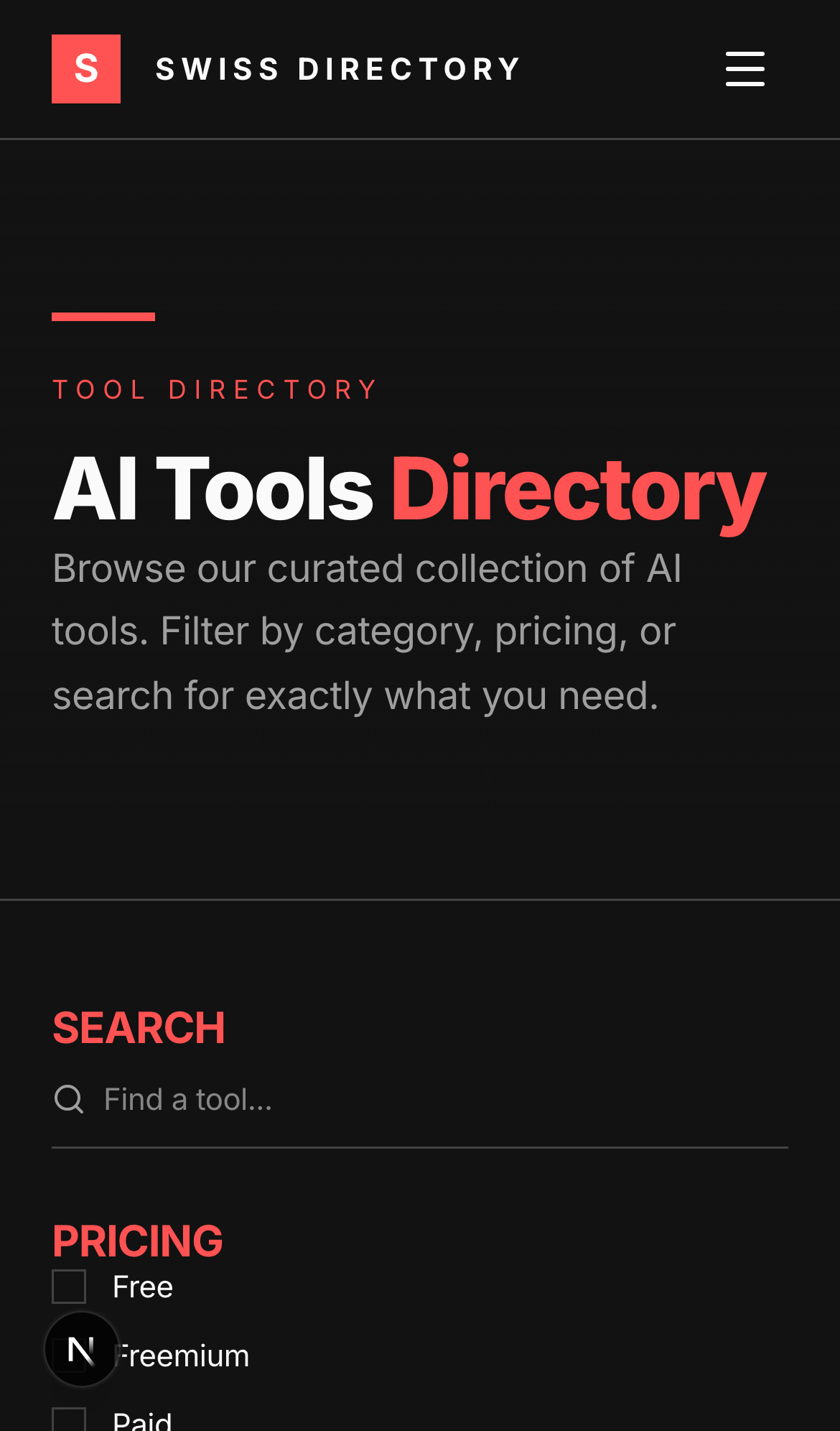
Mobile responsive
Flawless on small screens
Build vs. Buy
Why starting from scratch is a trap.
The Custom Build
- Design System 40 HOURS
- Auth Setup 15 HOURS
- Notion CMS API 25 HOURS
- SEO/AEO Structure 20 HOURS
- Total Cost (at $100/hr) $10,000+
- Time to Market 3+ Weeks
Swiss Directory
- Design System READY
- Auth Setup (Better-Auth) READY
- Notion CMS API READY
- SEO/AEO Structure READY
- Total Cost $69 (One-Time)
- Time to Market This Weekend
Frequently Asked Questions
Last Updated: March 27, 2026
What tech stack does Swiss Directory use?+
Do I need to know how to code to use Swiss Directory?+
What makes Swiss Directory different from other directory templates?+
Can I use Swiss Directory for any type of directory?+
How fast can I launch with Swiss Directory?+
Do I get updates?+
Can I use this for client projects?+
How does Swiss Directory perform in AI search results?+
Can AI tools integrate with Swiss Directory?+
Is Swiss Directory SEO/AEO optimized?+
Start building your empire today.
Save 100+ hours of development time. Get the design system, the CMS, the auth, and the database integration in one package. Looks like a $20K agency build. Runs on the tools you already use.
Lifetime Updates • Unlimited Projects • Production-Ready